Check your data with blocks
You say what each column has to meet. Blockema checks the file and tells you exactly what's wrong.
3 reasons the error reaches the file you send.And none of them is that you are bad at Excel.
- 01
Half an hour that fixes nothing
You scroll through 2,000 rows before every send and end up checking only the ones you have time for.
- 02
Excel only looks at one cell
Its data validation warns you as you type, not when you paste 500 rows. And it never knows that IBAN is already 1,800 rows above.
- 03
The criteria change every month
Whoever is free checks it, with the deadline on top. What gets caught one month sails through the next.
Your rules live outside the file and run over every one that lands.
- Reads the whole file, not cell by cell
- Catches duplicates and rules that depend on another column
- Built from blocks: no formulas, no IT
- The same criteria every month, whoever opens it
- Hands you the corrected file, not a report
Set it up once.Every file that lands after that checks itself.
You build the schema out of blocks
You drag one block for each thing a column has to meet. They read out loud like a sentence. No formulas, no scripts, nobody from IT.
And you don't start from blank: import a file you already have and it proposes the type and the rules for every column.
You open the validation and leave with the file fixed
You jump from one failure to the next and correct them right there. When you download it, your edits are applied on top of the original: your formatting and your formulas stay where they were. And if it came from Google Drive, it goes back to its folder.
Then run the same rules again in one click to confirm it's clean.
You choose where it runs.File by file.
You decide as you upload it, not in an account setting.
In your browser
DefaultThe file opens and is checked on your own computer. Nothing is uploaded anywhere, so there is no copy of ours to lose. Close the tab and nothing is left behind.
On the server
If you preferFor when you want the run saved in your history, or you would rather close the tab and come back for the result later.
If data cannot leave your company, it does not. There is nothing to install, to integrate or to get signed off.
If it lands every month, you shouldn't be checking it by hand
The block you set, and the row it catches in this month’s file.
Payroll
Where the mistake can't be taken back: a repeated account number is two payments into the same account, and the money has already gone.
- Row 148ibanGB33BUKB20201555555555
The value is duplicated (it must be unique)
- Row 204hours32
The value must be less than or equal to 20
Supplier orders
Before a bad line turns into a bad delivery.
- Row 412quantity2.5
The value must be a whole number
- Row 703delivery_date2024-11-30
The date cannot be in the past
Product catalogue
Not after a customer finds it.
- Row 57skuSKU-AUR-1696
The value is duplicated (it must be unique)
- Row 1,903price12.3456
At most 2 decimal places
All saved, ready for next month
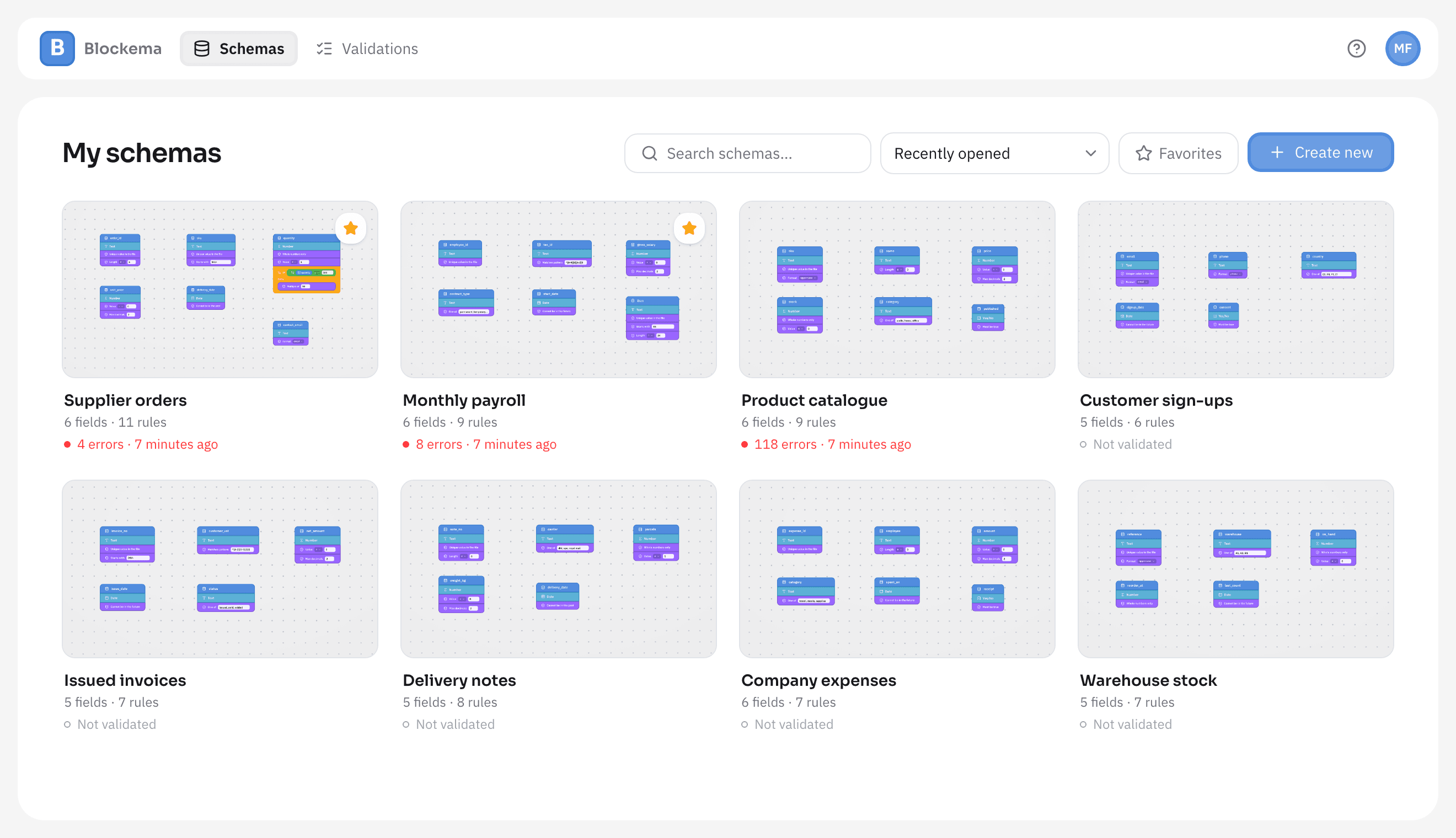
Every schema with its rules and the result of its last run. Next month you just drop the file in.
One plan.No surprises.
Try it with your own files first. Pay only once you're sure it's worth it.
30 days free, no card required, then €19/month.
- Unlimited files and validations, no per-check fees
- Validate in your browser or on the server
- Save your rules and reuse them on every file
- Cancel anytime, no lock-in
The next file lands in a few days.It would be good to know what's in it.
Set the rules up on a file you already have. The first 30 days are free, and no card is needed to start.